Online Booking & Scheduling Software: The Complete Guide (2026)
How many hours did you waste this week playing calendar tag?
"Does Tuesday at 2 PM work?"
"No, I have a conflict. How about Thursday at 10 AM?"
"Thursday is full. What about Friday morning?"
Sound familiar?
It is an exhausting, silent productivity killer. Every message back and forth burns precious mental energy and delays actual work. If you run a consultancy, sell software, manage a service business, or coordinate internal team meetings, manual scheduling is quietly draining your bottom line.
What Is Online Scheduling Software?
Online scheduling software is a web-based application that synchronises with your digital calendars to display your real-time availability, allowing clients and team members to book, reschedule, and pay for appointments automatically without email back-and-forth.
Instead of exchanging half a dozen messages, you send a single link. The recipient views your available slots, picks a time that fits their calendar, answers any intake questions, and pays upfront if required. The system then automatically creates calendar invites, sends confirmation emails, and updates your availability across every connected calendar instantly.
Look, it sounds simple because it is. But the impact on your business efficiency is massive.
Why Email Ping-Pong Is Destroying Your Calendar (and Revenue)
Let me share a quick story. Take Sarah, an executive coach charging £250 an hour. Before switching to automated booking software, she spent four hours every week emailing back and forth just to lock in six client sessions. That was £1,000 in billable time lost to administrative trivia every single month.

Here's the thing.
Email ping-pong does not just waste time. It actively kills deal flow.
When a potential client decides they want to talk to you, their interest is at a peak. If they have to wait two days and three emails just to lock in a consultation, momentum dies. Some prospect will inevitably find a competitor who lets them book a call in thirty seconds.
Plain and simple.
Beyond lost deals, manual coordination introduces double-booking risks, missing intake information, and forgetful clients who fail to show up. Modern online scheduling software fixes every single step of this broken funnel.
How Modern Online Booking Software Works
Behind the scenes, modern booking platforms do far more than drop an event onto a grid. They act as automated operational hubs that handle the full workflow from initial discovery to post-meeting follow-up.
Here is how the end-to-end process operates:
- Calendar Sync: The tool continuously monitors your connected master calendars (such as Google Calendar, Microsoft Outlook, or Apple iCloud) to calculate your real-time availability.
- Availability Engine: You define specific booking windows, buffer times between meetings, maximum daily caps, and notice periods to protect your day.
- The Booking Experience: You share your link or embed a booking widget directly on your website. The client selects a slot that suits them.
- Data & Payment Collection: The booker fills out intake custom fields and submits payment directly through an integrated payment gateway.
- Instant Confirmation & Automation: Calendar events are pushed to both parties, web conferencing links (like Zoom or Google Meet) are generated automatically, and tailored confirmation emails are dispatched.
Key Features to Look For in an Online Scheduling Tool
Not all scheduling tools are created equal. Some basic apps simply display an open calendar grid, while advanced solutions turn your booking workflow into a high-converting growth engine.
When evaluating platforms, prioritise these key capability pillars:
1. Real-Time Calendar Synchronisation
Your scheduling software must support multi-calendar 2-way sync. If you use Google Calendar for personal events, Outlook for corporate work, and Apple Calendar on your phone, your booking tool must read all three simultaneously. If it does not, you will inevitably end up double-booked when a personal appointment overlaps with a client slot.
2. Converting Mini-Lander Booking Pages
Most traditional scheduling links look like clinical, grey administrative forms. They do nothing to build trust or close deals.
A modern scheduling tool should let you build a mini-lander booking page. This is a fully customisable landing page embedded directly into your booking flow. Instead of a bare calendar, your booker sees rich hero media, custom branding, embedded client testimonials, clear service descriptions, and persuasive conversion elements before they pick a time.
You can inspect our full range of design options on our features page or check out ready-made layouts in our templates gallery.
3. Flexible Global Payment Collection
If you charge for appointments, strategy calls, or coaching sessions, collecting payment before the call takes place is essential. It eliminates unpaid invoices and drastically drops no-show rates.
Pay close attention to provider support. Many popular scheduling platforms restrict you to basic Stripe or PayPal integrations. For instance, Calendly supports only Stripe and PayPal, while Cal.com supports four processors.
If you operate globally or serve regional markets, you need direct access to localised payment gateways like Lemon Squeezy, Paddle, Square, PayFast, Yoco, Paystack, Peach Payments, and DodoPayments. Giving your booker their preferred payment gateway dramatically increases conversion rates.
4. Automated Branded Communication Sequences
A booking software should act as your personal virtual assistant. When a client books, the system should trigger tailored email confirmation sequences, helpful pre-meeting reminders, and post-meeting follow-up notes.
Look for tools that support deep email customisation, allowing you to match your brand colours, fonts, and tone of voice without carrying giant third-party badges.
5. Self-Service Rescheduling and No-Show Prevention
Life happens. Meetings need to move. If a client has to email you to reschedule, you are back to email ping-pong.
A robust booking system gives bookers a one-click reschedule link inside their confirmation email. You set minimum notice windows (for example, no rescheduling within 4 hours of the start time) to prevent last-minute calendar chaos. Paired with automated email reminders, this simple feature reduces no-shows to near zero.
The Different Types of Scheduling Software
Different business models demand different scheduling structures. Knowing which type fits your operational flow helps narrow down your search:
- 1-on-1 Appointment Schedulers: Perfect for consultants, coaches, freelancers, and service professionals scheduling individual client sessions.
- Group & Event Booking Software: Designed for webinars, workshops, fitness classes, or roundtables where multiple participants book into a single time block.
- Team & Round-Robin Schedulers: Built for sales and support teams. Round-robin routing distributes incoming leads evenly among sales reps based on availability, priority, or region.
- Group Polling Tools: Designed to find a common meeting time among multiple busy external participants by letting everyone vote on candidate time slots.
Comparing the Major Booking Tools in 2026
The market for online scheduling software has expanded rapidly over the past few years. Here is how the landscape stacks up:
- Calendly: The established incumbent that popularised calendar links. It offers strong calendar sync and enterprise controls, but relies on a paid per-seat monthly subscription model and limits payment processing to Stripe and PayPal.
- Cal.com: An open-source alternative favoured by developer-heavy teams requiring self-hosted infrastructure. It offers decent flexibility but requires technical configuration to unlock its full potential.
- TidyCal: A low-cost one-off deal platform suited for simple, low-volume scheduling needs, though it lacks deep branding, mini-lander customisation, and advanced workflows.
- MintCal: Built specifically for creators, consultants, and teams who want high-converting mini-lander booking pages, multi-calendar sync, and global payment flexibility without per-seat pricing penalties.
If you are exploring alternatives to traditional tools, you can read our detailed comparisons:
- Read our breakdown of Calendly vs MintCal
- Compare open-source options in Cal.com vs MintCal
- Evaluate budget options in TidyCal vs MintCal
How to Implement Online Scheduling Software in 5 Steps
Getting your automated booking system live takes less time than you might think. Follow this straightforward setup blueprint:
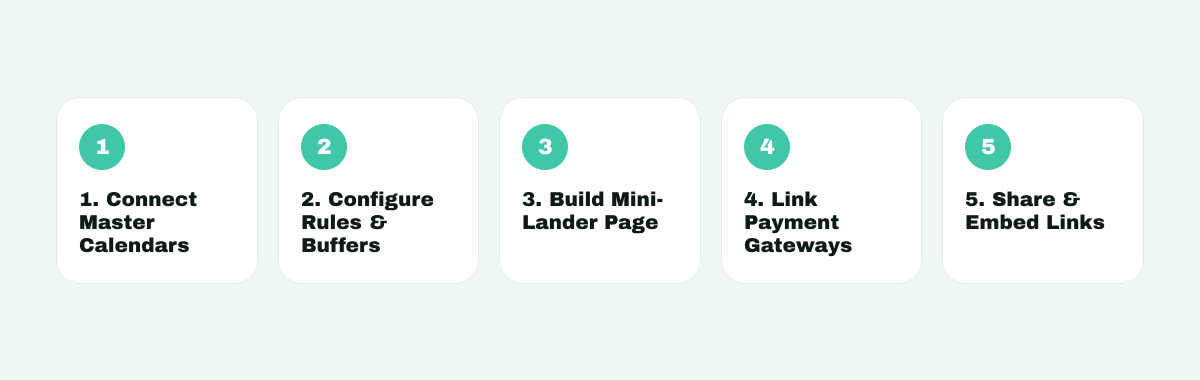
- Connect Your Master Calendars: Link your primary work and personal calendars to ensure full two-way availability protection.
- Configure Availability and Buffer Rules: Set your weekly working hours, buffer times between meetings (e.g., 15 minutes to take notes and recharge), and advance booking limits.
- Build Your Mini-Lander Booking Page: Customise your booking page with your brand colours, typography, intake questions, and trust elements like reviews or video greetings.
- Connect Payment Gateways: Select and authenticate your preferred payment processors (such as Stripe, PayPal, Paddle, or local gateways) if charging for calls.
- Share and Embed: Place your booking widget on your website, embed it in your email signature, or share direct links in your sales outreach.
The MintCal Advantage: Why We Built a Better Booking Page
Let's be real for a moment.
Most scheduling software treats your booking page like a tax form. It gets the job done, but it creates zero excitement and builds no extra value.
We built MintCal because we believed booking pages could do so much more.
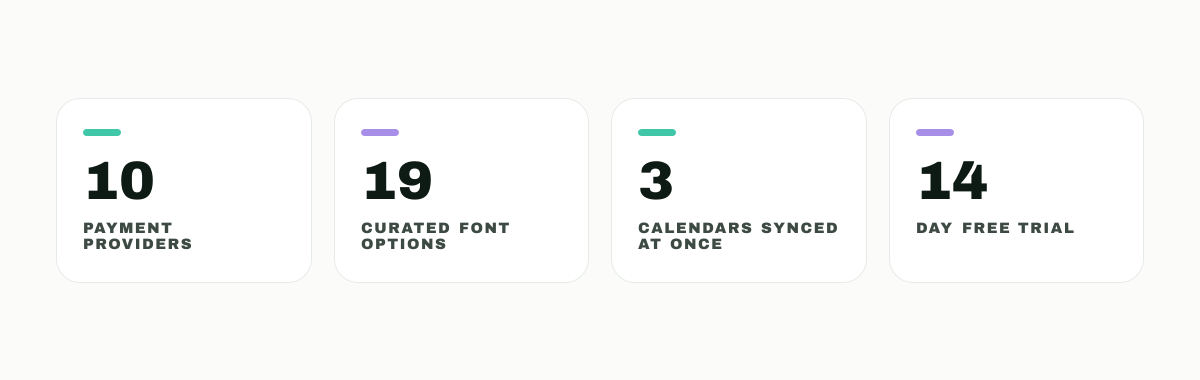
Instead of a plain calendar box, MintCal lets you build a full mini-lander booking page directly under each individual event type. You get access to a visual page builder with 19 curated font pairings, custom colour gradients, pre-built templates, and over 13 modular widgets (including video headers, social proof callouts, FAQ accordions, and rich description blocks).
And when it comes to getting paid, we don't lock you into a single gateway. MintCal supports 10 global and regional payment providers—including Stripe, PayPal, Paddle, Lemon Squeezy, Square, PayFast, Yoco, Paystack, Peach Payments, and DodoPayments—so your bookers can pay using the methods they already trust.
Whether you need to sync Google Calendar, Outlook, and Apple Calendar all at once, or manage group polling without third-party tools, MintCal gives you a complete growth kit without penalising you with expensive per-seat charges.
Check out our simple pricing plans or dive into our live changelog to see what we have shipped recently.
Frequently Asked Questions
What is online scheduling software?
Online scheduling software is a tool that syncs with your digital calendar to let clients, prospects, or team members book appointments with you based on your real-time availability.
How does online scheduling software prevent double booking?
It performs real-time two-way synchronisation with your connected calendars. When a time slot is booked on your connected Google, Outlook, or Apple calendar, the scheduling software instantly removes that time from your public availability.
Can I collect payments through an online booking tool?
Yes. Modern scheduling platforms allow you to connect payment gateways directly to your booking forms, requiring clients to pay for consultations or services before the appointment is confirmed.
Will automated booking tools work on mobile devices?
Yes. Modern booking software generates mobile-responsive booking pages and mini-landers that adapt seamlessly to smartphones, tablets, and desktop computers.
Is online scheduling software suitable for small businesses and freelancers?
Absolutely. Small businesses and freelancers benefit heavily by eliminating manual scheduling administration, cutting no-show rates, and presenting a professional brand image to potential clients.