Screen before they see your calendar.
Ask booking questions and route people to the right event, a link or a message based on their answers. Require your approval when a session needs a closer look.
Build a page that shows what makes you worth booking. Add your videos, testimonials and FAQs. Take payments through 10 providers. Keep your brand in every reminder and follow-up.
Sign up, or build a page live right now · 14-day free trial · No card required
Coaching for your next chapter.
Brand strategy with a point of view.
Practical strategy for what comes next.
One builder. So many ways to show up. Illustrative designs with fictional businesses.
Show what you do, who you help and why it matters—all on the page where clients book you.
Arrange videos, testimonials, service details and FAQs with a drag-and-drop builder. Choose your fonts, colours, backgrounds and layout, right down to individual sections.
Try the page builder now →Illustrative arrangement · 5 column layouts · 6 industry templates · Live mobile preview
Connect the providers that work for your business and choose which ones clients can use for each event. From Stripe and PayPal to PayFast, Yoco and Paystack.
Provider availability, eligibility and supported currencies vary. Payment provider fees apply.
Give each event its own video, testimonials, FAQs, text, stats and call to action. Explain the value of that particular session, right beside the booking experience.
Your colours and background carry through to the calendar and booking details. The experience still feels like you.
View the real booking screen ↗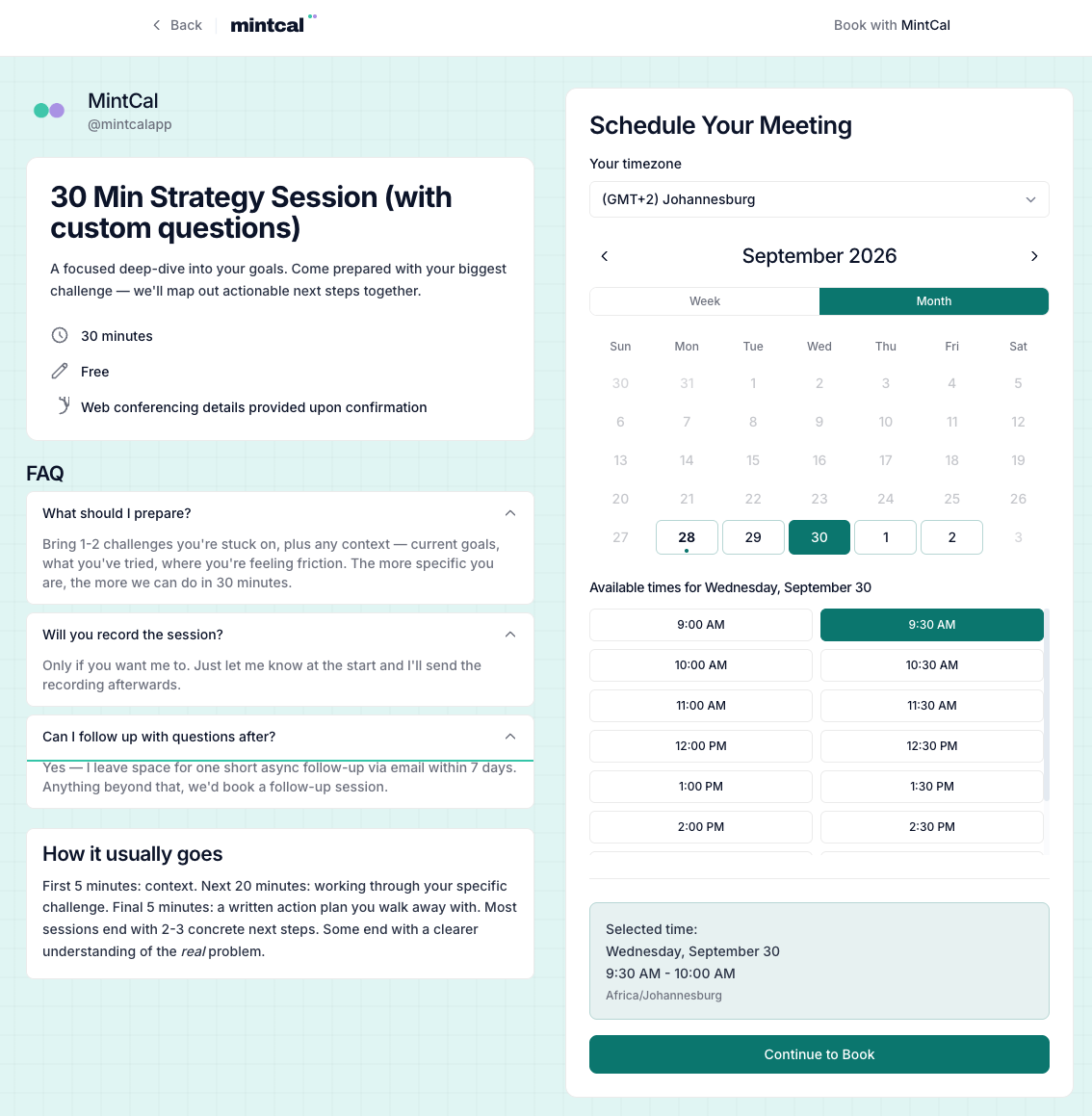
Hi Alex,
Looking forward to our session. Bring your biggest question—we’ll start there.
Write your own confirmation, preparation, reminder and follow-up emails for each event. Use your logo, colours and rich-text content, with booking details filled in automatically.
Add up to five custom reminders per event. Preview your emails and send yourself a test before clients see them.
Explore branded emails →The page gets their attention. These tools help you run the day.
Ask booking questions and route people to the right event, a link or a message based on their answers. Require your approval when a session needs a closer look.
Check Google and Outlook for conflicts. Set buffers, notice periods, event-specific hours and daily, weekly or monthly booking limits.
Keep client history, private notes and no-shows together. Create bookings on a client’s behalf and export your records when you need them.
Share a poll that people can vote on without an account. Optionally book the winning time when you close the poll.
Explore booking conversion, popular times and event performance. Review paid-booking revenue and the breakdown by payment provider.
Share your link or embed a calendar, popup or floating button on your existing website. Use private event links and redirect clients after booking.
Import meeting notes from Fathom, Fireflies or tl;dv. Fathom supports automatic import; Fireflies and tl;dv imports are manual. A supported third-party plan or API access may be required.
If these are on your wish list, MintCal deserves a place on it.
Build with content, layouts, typography and background styles. Give people a reason to choose you before they choose a time.
Choose from 10 integrations, including PayFast, Yoco, Peach Payments and Paystack, with no MintCal booking commission.
The page builder, branded emails, screening, paid bookings, client records and analytics are included for $19/month.
Coming from Calendly or Acuity? Import client and booking CSVs, preview your data and map event types before importing.
A complete booking toolkit for professionals who care how their business shows up.
South African pricing: R170/month, billed in rand.
No credit card required. Cancel anytime.
Payment provider fees apply to paid bookings.
Choose from 19 fonts, five column layouts and six industry templates. Arrange 13 profile widgets, customise colours and backgrounds, and add six types of content widget to individual event pages. Active paid subscribers can remove the “Powered by MintCal” footer from their public booking pages.
Yes. MintCal Pro includes the listed booking tools. MintCal takes no commission on bookings; your payment provider charges its own fees. You connect your own eligible provider account, and availability and supported currencies vary.
Yes. Share your MintCal link or embed booking into your existing website. Connect Google Calendar, Outlook or both for conflict checking. Clients see available times in their timezone.
Import Calendly or Acuity client and booking CSVs with a preview and event-type mapping. This imports supported records; you’ll set up your page, availability and integrations in MintCal.
The trial lasts 14 days and requires no credit card. Continue with MintCal Pro to keep accepting bookings. International pricing is $19/month; South African pricing is R170/month. Cancel from Settings.
14 days free · No credit card required