Screen before they see your calendar.
Ask booking questions and route people to the right event, a link or a message based on their answers. Require your approval when a session needs a closer look.
MintCal is the online booking and appointment system built for South Africa. Create a branded booking page, let clients book and pay in rand through PayFast, Yoco, Peach Payments or Paystack, and send automatic reminders. Perfect for small businesses, coaches, consultants and creatives.
Sign up, or build a page live right now · R170/month via PayFast · 14 days free, no card required
Get booked. Get paid in rand.




Coaching for your next chapter.
Brand strategy with a point of view.
Practical strategy for what comes next.
One builder. So many ways to show up. Illustrative designs with fictional businesses.
Show what you do, who you help and why it matters—all on the page where clients book you.
Arrange videos, testimonials, service details and FAQs with a drag-and-drop builder. Choose your fonts, colours, backgrounds and layout, right down to individual sections.
Explore the page builder →Illustrative arrangement · 5 column layouts · 6 industry templates · Live mobile preview
PayFast, Yoco, Peach Payments and Paystack: four options for South African businesses, within MintCal’s 10 payment integrations. Connect your account, price your sessions in ZAR and choose which providers clients can use for each event.
Account eligibility, payment methods and settlement terms depend on your provider. Provider fees apply.
Connect your PayFast account for paid bookings in rand.
Use your Yoco account to take payments for booked sessions.
Connect Peach Payments for your paid booking flow.
Offer Paystack as a payment option for your sessions.
Also integrated: Stripe, PayPal, Square, DodoPayments, Lemon Squeezy and Paddle. Availability varies by country.
Give each event its own video, testimonials, FAQs, text, stats and call to action. Explain the value of that particular session, right beside the booking experience.
Your colours and background carry through to the calendar and booking details. The experience still feels like you.
Build a page like this, free in the builder ↗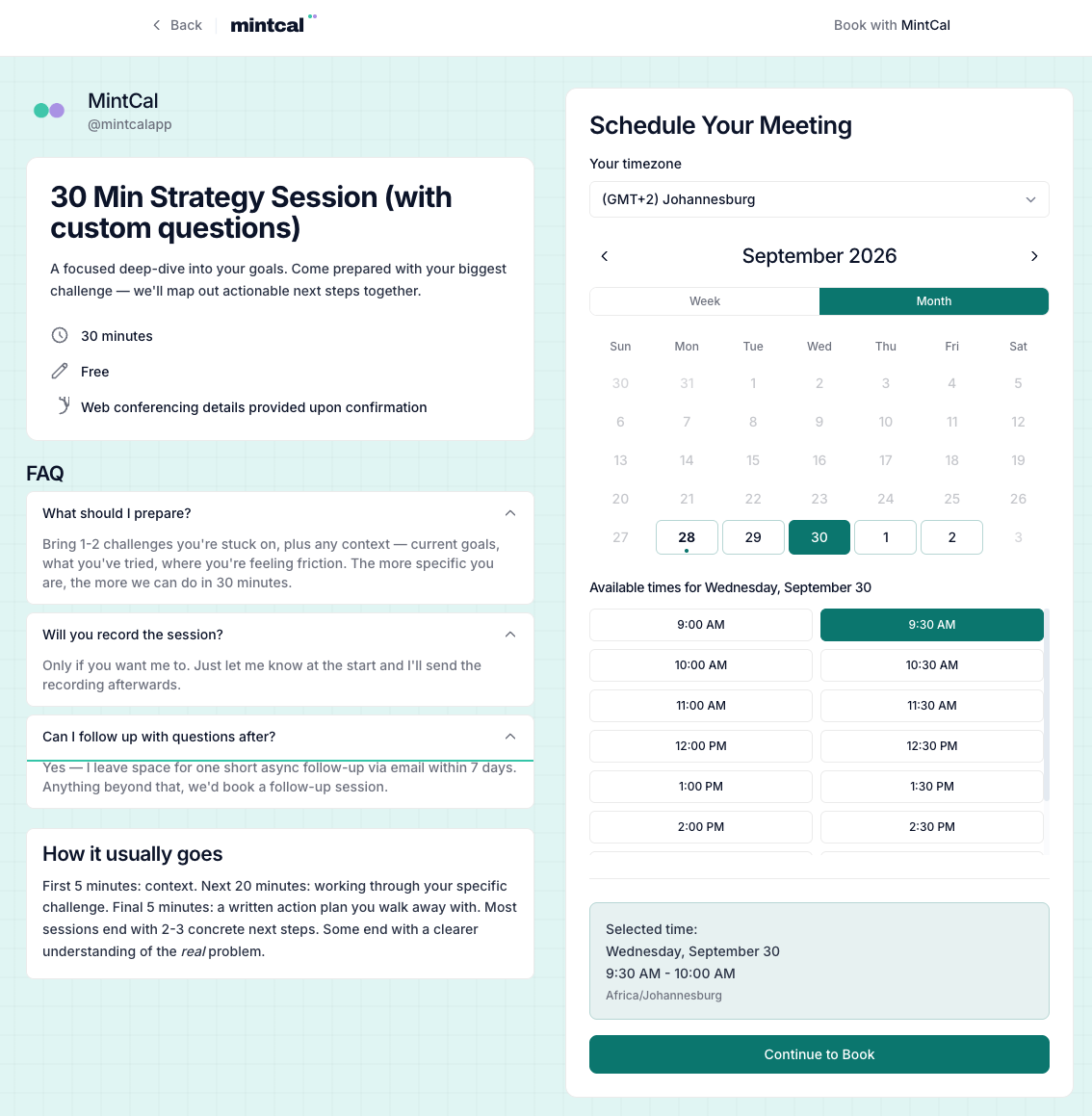
Hi Alex,
Looking forward to our session. Bring your biggest question—we’ll start there.
Write your own confirmation, preparation, reminder and follow-up emails for each event. Use your logo, colours and rich-text content, with booking details filled in automatically.
Add up to five custom reminders per event. Preview your emails and send yourself a test before clients see them.
Explore branded emails →The page gets their attention. These tools help you run the day.
Ask booking questions and route people to the right event, a link or a message based on their answers. Require your approval when a session needs a closer look.
Check Google and Outlook for conflicts. Set buffers, notice periods, event-specific hours and daily, weekly or monthly booking limits.
Keep client history, private notes and no-shows together. Create bookings on a client’s behalf and export your records when you need them.
Share a poll that people can vote on without an account. Optionally book the winning time when you close the poll.
Explore booking conversion, popular times and event performance. Review paid-booking revenue and the breakdown by payment provider.
Share your link or embed a calendar, popup or floating button on your existing website. Use private event links and redirect clients after booking.
Import meeting notes from Fathom, Fireflies or tl;dv. Fathom supports automatic import; Fireflies and tl;dv imports are manual. A supported third-party plan or API access may be required.
Built for the way you work, with payment options and subscription pricing for South Africa.
Build with content, layouts, typography and background styles. Give people a reason to choose you before they choose a time.
Connect PayFast, Yoco, Peach Payments or Paystack for local paid bookings. Choose an eligible provider that supports your business, with no MintCal booking commission.
The page builder, branded emails, screening, paid bookings, client records and analytics are included for R170/month. Your MintCal subscription is billed in rand via PayFast.
Coming from Calendly or Acuity? Import client and booking CSVs, preview your data and map event types before importing.
The full MintCal Pro toolkit, priced for South African professionals. No smaller feature set. No coupon code to hunt down.
Normally $19/month internationally. South African pricing is applied automatically and billed in rand via PayFast.
No credit card required. Cancel anytime.
Payment provider fees apply to paid bookings.
MintCal is free to try for 14 days with no credit card required, so you can build your page and take real bookings before you pay anything. After the trial, MintCal Pro is R170/month, billed in rand via PayFast. There is no free-forever tier, but there is also no setup fee and no booking commission.
MintCal is built for South African small businesses and solo professionals: a branded online booking and appointment page, local payments in rand (PayFast, Yoco, Peach Payments and Paystack), Google and Outlook calendar sync, automatic email reminders and 0% booking commission. It works for coaches, consultants, creatives, studios and service businesses.
Yes. Clients pick a time on your booking page, enter their details and pay in rand at checkout through your connected provider (PayFast, Yoco, Peach Payments or Paystack). It works as a combined online booking and payment system, so you get booked and paid in one step.
MintCal integrates with PayFast, Yoco, Peach Payments and Paystack. Connect an eligible account in payment settings, then choose which providers to enable for each paid event. Your provider determines supported payment methods, currencies, fees and settlement terms.
MintCal is built for independent professionals as well as businesses. To accept payments, you’ll need an account with a supported provider. Registration documents and bank-account requirements differ between providers, so check their current onboarding requirements before choosing.
When you visit from South Africa, MintCal applies South African pricing automatically: R170/month, billed in rand via PayFast. It includes the same MintCal Pro features as the international plan. No coupon code or application form is needed.
Yes, clients can book from abroad and see available times in their timezone. Accepting their payment depends on your connected provider’s support for international cards and currencies. Check the provider’s fees and settlement terms; MintCal adds no booking commission.
Yes. Choose from 19 fonts, five column layouts and six industry templates. Arrange 13 profile widgets, set colours and backgrounds, and give each event its own FAQs, video and supporting content. Active paid subscribers can remove the “Powered by MintCal” footer from public booking pages.
Share your MintCal link or embed booking on your website. Connect Google Calendar, Outlook or both for conflict checking. You can also import Calendly or Acuity client and booking CSVs, preview the data and map event types.
No. MintCal charges 0% booking commission. Your payment provider’s processing and other applicable fees still apply. The R170 monthly MintCal subscription is separate from the payments your clients make for your services.
MintCal’s privacy policy explains its role as an Operator under POPIA and your role as the Responsible Party for client information collected through your booking pages. It covers data handling, hosting, your rights and the Information Officer contact. You can export your account data or delete your account from Settings. Read the privacy policy and POPIA details ↗
Yes—14 days, with no credit card required. After the trial, continue with MintCal Pro for R170/month, billed in rand via PayFast, to keep accepting bookings. You can cancel from Settings.
14 days free · Then R170/month via PayFast · No card required to try